

-


Microsoft Surface Pro 6 12.3" 2-in-1 Tablet, Intel Core i7-8650U, 8GB RAM, 256GB SSD
Regular price AED 999.00Sale price AED 999.00 Regular priceUnit price per -

 27% offSold out
Apple MacBook Air 15 Inch M3 Chip 8 Core CPU 10 Core GPU 8GB RAM 256GB SSD Space Gray
Regular price AED 3,549.00Sale price AED 3,549.00 Regular priceUnit price perAED 4,849.00 -

 26% offSold out
Apple MacBook Air 15 Inch M3 Chip 8 Core CPU 10 Core GPU 8GB RAM 256GB SSD Midnight
Regular price AED 3,589.00Sale price AED 3,589.00 Regular priceUnit price perAED 4,849.00 -

 50% off
Microsoft Surface Pro 7+ 12.3 Inch i5 8GB RAM 256GB SSD
Regular price AED 1,199.00Sale price AED 1,199.00 Regular priceUnit price perAED 2,399.00 -


Microsoft Surface Pro 5 12.3" 2-in-1 Tablet, Intel Core i5-7300U, 16GB RAM, 512GB SSD
Regular price AED 949.00Sale price AED 949.00 Regular priceUnit price per -


Lenovo ThinkPad X1 Carbon Gen 8 14" Laptop, Intel Core i5-10310U, 16GB RAM, 256GB SSD
Regular price AED 999.00Sale price AED 999.00 Regular priceUnit price per -


HP Elite x2 12" Detachable 2-in-1 8GB RAM, 256GB SSD
Regular price AED 1,049.00Sale price AED 1,049.00 Regular priceUnit price per -


HP EliteBook 830 G9 13.3" Laptop, Intel Core i5-1245U, 16GB RAM, 256GB SSD
Regular price AED 1,299.00Sale price AED 1,299.00 Regular priceUnit price per -

 24% off
Microsoft Surface Laptop 5 13.5 Inch Touchscreen Intel Core i7 16GB RAM 512GB SSD Platinum
Regular price AED 1,899.00Sale price AED 1,899.00 Regular priceUnit price perAED 2,499.00 -

 50% off
Microsoft Surface Laptop 6 for Business 13.8 Inch Intel Core Ultra 7 32GB RAM 1TB SSD Touchscreen Laptop – Black
Regular price AED 3,999.00Sale price AED 3,999.00 Regular priceUnit price perAED 7,999.00 -

 36% off
Microsoft Surface Pro 9 13 Inch Intel Core i5 8GB RAM 256GB SSD 2-in-1 Touchscreen Laptop Device Only
Regular price AED 1,599.00Sale price AED 1,599.00 Regular priceUnit price perAED 2,499.00 -

 25% off
Dell Latitude 7650 16 Inch Intel Core Ultra 7 32GB RAM 512GB SSD FHD+ Business Laptop
Regular price AED 2,999.00Sale price AED 2,999.00 Regular priceUnit price perAED 3,999.00 -
 30% off
Microsoft Surface Laptop 2 13.3 Inch Intel Core i5 8th Gen, 8GB RAM 128GB SSD
Regular price AED 699.00Sale price AED 699.00 Regular priceUnit price perAED 999.00 -

 21% off
Microsoft Surface Laptop 4 13.5 Inch Intel Core i7 16GB RAM 512GB SSD Touchscreen Laptop
Regular price AED 1,499.00Sale price AED 1,499.00 Regular priceUnit price perAED 1,899.00 -

 30% off
Microsoft Surface Laptop 4 15 Inch Touch Screen Intel Core i7 8GB 512GB
Regular price AED 1,399.00Sale price AED 1,399.00 Regular priceUnit price perAED 1,999.00 -

 31% off
Microsoft Surface Pro 9 Laptop 13 Inch Core i5 12th Gen, Intel Iris XE Graphics 8GB RAM 512GB SSD
Regular price AED 2,399.00Sale price AED 2,399.00 Regular priceUnit price perAED 3,499.00 -

 25% off
Microsoft Surface Pro 7 12.3 Inch Intel Core i7 Quad-Core Processor 10th Gen, 16GB RAM 512GB SSD
Regular price AED 1,499.00Sale price AED 1,499.00 Regular priceUnit price perAED 1,999.00 -
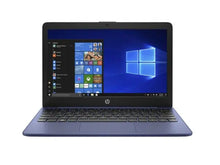
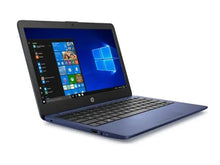
HP Stream 11-ak0516sa 11" Laptop - Intel Celeron N4020, 4GB RAM, 64GB eMMC, Intel UHD 600 Graphics, 11-ak0516sa
Regular price AED 499.00Sale price AED 499.00 Regular priceUnit price per -

 17% off
Lenovo IdeaPad 11.6" Laptop, AMD Processor, 4GB RAM, 64GB Hybrid Storage, Integrated AMD Graphics, Windows OS
Regular price AED 599.00Sale price AED 599.00 Regular priceUnit price perAED 719.00 -

 44% off
Lenovo IdeaPad 3 14IGL05 14.0" HD Chromebook, Intel Celeron N4020, 4GB RAM, 32GB eMMC, Chrome OS, Abyss Blue
Regular price AED 449.00Sale price AED 449.00 Regular priceUnit price perAED 809.00


Laptops and Chromebooks for Work, Study, and Everyday Use at Shams Al Sahil
At Shams Al Sahil, we offer a range of laptops and chromebooks in the UAE from brands including HP, Dell, Lenovo, Apple, Microsoft, and LG. Available options come with different screen sizes, display resolutions, performance features, and specifications for work, study, entertainment, and everyday computing.
Whether you need a compact device for travel, a laptop for professional tasks, or a larger screen for a dedicated workspace, you can compare different models according to your requirements and preferences.
Choose the Screen Size That Suits Your Setup
The right screen size can make all the difference for ease of use, learning, surfing the web and enjoying entertainment. We have chromebooks and laptops of all sizes, from 12.3 and 13 inches to 13.3, 13.5, 14 and 24 inch sizes.
Small screens may be convenient for people who take their device with them regularly, and larger screens offer more screen space to multitask, view documents, browse and do other normal tasks.
Explore Different Display Resolution Options
Display resolution affects the clarity and level of detail visible on your screen. Depending on the model, laptops and chromebooks are available in HD, FHD, QHD, QHD+, 2K, 3K, and 4.5K resolution options.
From everyday HD and FHD displays to higher-resolution QHD, QHD+, 2K, 3K, and 4.5K screens, you can compare available options based on your work, study, entertainment, and viewing requirements.
HP Laptops and Chromebooks for Everyday Computing
HP laptops and chromebooks are designed for different everyday, educational, and professional requirements. Users have the choice of models with different screen sizes, processors, storage and connectivity features.
HP is well known for its wide range of computing choices for various types of users and budgets.
Dell Laptops for Professional and Everyday Use
Dell laptops come in different configurations that are available for work, studying, running a business and general computing. Users can then compare display sizes, performance, storage and connectivity on the various models.
Dell's key strength is its wide range of business and professional computing solutions designed for different working environments.
Lenovo Laptops and Chromebooks for Flexible Computing
Lenovo laptops and chromebooks come in different models for users with varying computing requirements. Different models are available that may have different features, operating systems, sizes and performance specifications.
Lenovo is known for its versatility and the range of devices it provides, from work to education, portable and flexible for daily use.
Apple Laptops with the macOS Ecosystem
Apple laptops offer a computing experience based on macOS and integration with compatible Apple devices and services. Based on the model, the users will be able to compare display sizes, processing capability, storage, etc.
A crucial advantage of Apple is connecting compatible devices and services to form an integrated hardware/software ecosystem.
Microsoft Laptops for Windows-Based Computing
Microsoft laptops are built around the Windows computing environment and come in different sizes and configurations. Depending on the selection, some models might include touchscreen displays, portable designs and work and general use features.
The major advantage of Microsoft is the close integration with the Windows operating system.
LG Laptops with Display-Focused Features
LG laptops come with different specifications for users looking for portable computing and larger display options. Features available include different screen sizes, display resolutions, performance, and connectivity, depending on model.
LG is a renowned brand with expertise in the field of display technology, and selected computing products are targeted towards clarity and display quality.
How to Compare Laptops and Chromebooks before Buying
Before choosing a laptop or chromebook, compare the specifications that are most relevant to how you plan to use the device.
Screen size: Consider whether you need a compact screen for portability or a larger display for more workspace.
Operating system: Compare the operating system and make sure it suits the software and applications you need.
Processor: Review the processor specifications based on everyday tasks, multitasking, work, or other computing requirements.
Memory and storage: Consider how much memory and storage space you may need for applications, files, and everyday use.
Display resolution: Compare HD, FHD, QHD, QHD+, 2K, 3K, and 4.5K options according to your viewing requirements.
Connectivity: Check available ports, wireless connectivity, and compatibility with the accessories you plan to use.
Portability: Consider the size and weight of the device if you regularly travel or carry your laptop.
Battery requirements: Review the manufacturer's specifications based on how and where you plan to use the device.
Comparing these features can help you select a laptop or chromebook that suits your work, study, entertainment, or everyday computing requirements.
Why Should You Choose Shams Al Sahil to Buy Laptops and Chromebooks Online?
We offer laptops and chromebooks from trusted brands in one place. You can check out the available sizes, resolution, features and specs of each device before choosing one for your needs.
If you are planning to buy a laptop and chromebook online in the UAE, explore the available options and review the individual specifications before placing your order.
FAQs
What is the difference between a laptop and a chromebook?
‘Laptop’ is a term that is used for a portable computer and can have different operating systems. A chromebook is a laptop based on the ChromeOS operating system and developed based on Google's software and services.
Is the chromebook right for students?
The chromebooks may be appropriate for students depending on their software and computing needs. When selecting one, make sure all the applications, learning platforms, and programs used for study are compatible with ChromeOS.
Which screen size is best for a laptop?
The suitable screen size depends on how you plan to use the device. Smaller screens can be easier to carry, while larger displays may provide more workspace for multitasking and viewing content.
Is a higher display resolution always better?
A higher resolution can provide greater image detail, but the most suitable resolution depends on screen size, intended use, software requirements, and personal viewing preferences.
Can I use a chromebook without an internet connection?
Many chromebook functions and supported applications can be used offline. However, some features and cloud-based services require an internet connection.
What should I check before buying a laptop for work?
Consider the software you need, processor, memory, storage, screen size, connectivity options, portability, and other requirements related to your daily workload.
Can laptops be connected to external monitors?
Many laptops support connections to compatible external displays through available ports or supported wireless technologies. Check the individual laptop specifications and monitor compatibility before connecting.
Do you offer delivery and installation across the UAE?
Yes. We deliver laptops and chromebooks throughout the UAE, including Dubai, Abu Dhabi, Sharjah, Ajman, Ras Al Khaimah, Fujairah, and Umm Al Quwain. Installation services are also available for selected products.